
现在很多人都在使用google chrome浏览器,如果我们也想要在电脑上下载该浏览器,该怎么操作呢?今天就跟大家介绍一下电脑版google chrome怎么下载的具体操作步骤。
-
1. 首先打开电脑上的任一浏览器,在上方的地址栏输入官网地址打开:https://www.google.cn/chrome/

-
2. 在打开的官网页面,点击立即下载按钮

-
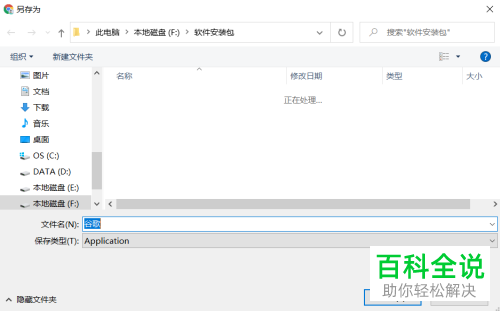
3. 在弹出的窗口中,设置想要下载的位置
-
4. 如图,就开始下载了,等待下载完成

-
5. 下载好之后,进行安装,等待安装完成后就可以使用了。

-
以上就是电脑版google chrome怎么下载的具体操作步骤。



