
MathPage.wll或MathType.dll文件找不到怎么办
MathPage.wll或MathType.dll文件找不到怎么办
错误提示: 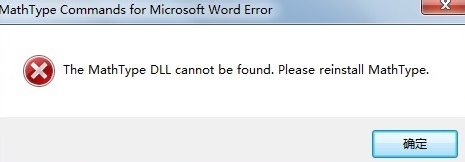
或者:
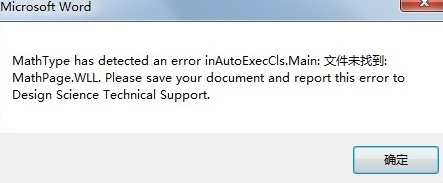
甚至运行时出现的:
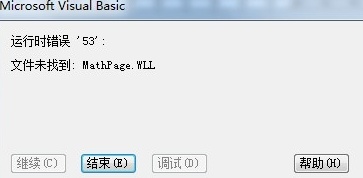
解决方法:
步骤一 要确保路径被office信任。依次打开word->文件->选项->信任中心->信任中心设置->添加新位置,添加C:\\Program Files\\Microsoft Office\\Office14\\STARTUP。
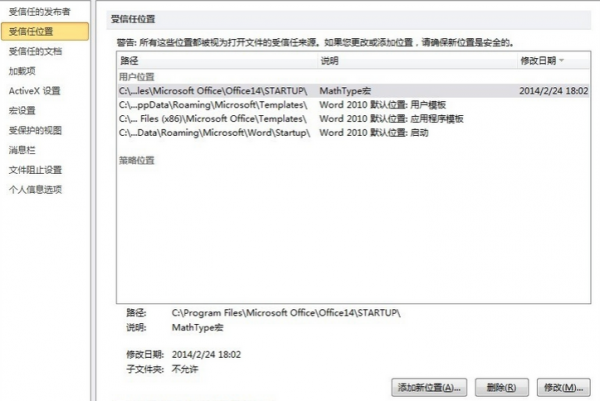
步骤二 在MathType安装目录下找到以下文件(以64为系统为例):
C:\\Program Files (x86)\\MathType\\MathPage\\64\\MathPage.wll
C:\\Program Files (x86)\\MathType\\Office Support\\64\\MathType Commands 6 For Word 2010.dotm
将以上两个路径复制到桌面。
步骤三 将两个文件分别拷贝到各自的文件夹中,将MathType Commands 6 For Word 2010.dotm拷贝到C:\\Program Files\\Microsoft Office\\Office14\\STARTUP,将MathPage.wll拷贝到C:\\Program Files\\Microsoft Office\\Office14之下而不是都拷贝到STARTUP文件夹中:
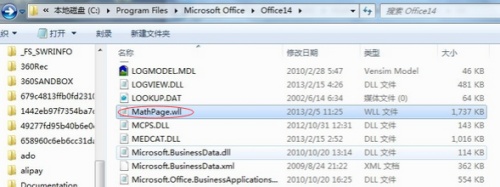
步骤四 关闭word重启,就基本解决问题了。
温馨提示:MathType数学公式编辑器运行的具体环境不同,解决方案就不同,以上方法仅是提供一种参考,对某种问题有用,不可以偏概全。


