
VS2013无法启动 IIS Express Web解决方法
开发环境:windows8.1+VS2013
使用VS2013有一段时间了,因前期都是编写C/S程序,没有使用到B/S调试器。前几日,创建了一个MVC项目,突然发现VS2013无法调试,报了这样的错。
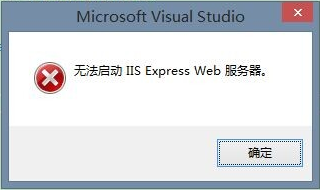
一下子有点蒙,why?
国外网友给出的解决方案
If you are working on ASP.NET MVC web sites in Visual Studio 2013 (VS2013), you need to make one registry change if you want to run IIS Express as a 64-bit process by default. Use one of the methods, below.
Command-Line:
reg add HKEY_CURRENT_USER\\Software\\Microsoft\\VisualStudio\\12.0\\WebProjects /v Use64BitIISExpress /t REG_DWORD /d 1


